
Home > Products > Scanners > Handheld Scanners > AT20 Series
AT20 Series
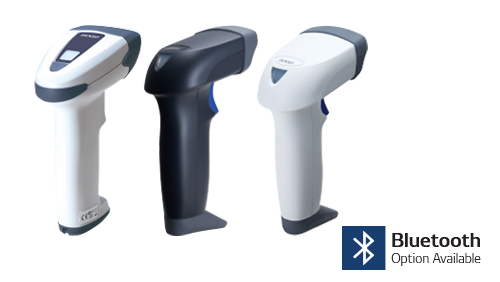
These compact, user-friendly scanners bring top-of-class performance and durability. Popular applications include warehousing, manufacturing, and retail settings. Get the added assurance of a free, five-year warranty when you register your purchase.
The AT27Q main unit is built using antimicrobial material that inhibits bacterial growth. This unit can also be cleaned with various disinfectant cleaners. These features make it the perfect unit to use in medical or food service/processing environments.
Key Performance Benefits
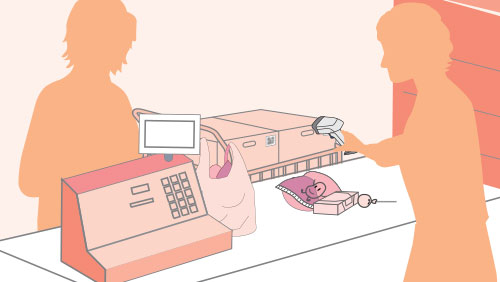
Power Scanning.
Our AT20 models offer reliable, high-speed scanning performance for 1D and 2D codes.
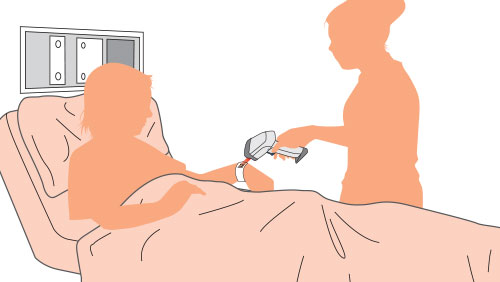
Super-Deep Field Depth.
Enables easy and accurate capture of codes from near or far, regardless of scanner position.
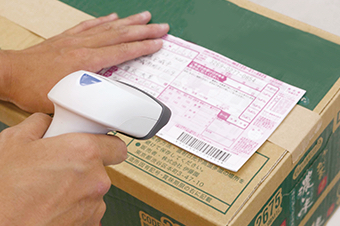
Wide Barcode Capture.
Enjoy quick, successful scanning of wide barcodes:
- ITF-14 and GS1-128 (EAN-128) codes common on invoices by public utilities and medical providers;
- Code 39 barcodes for labels.
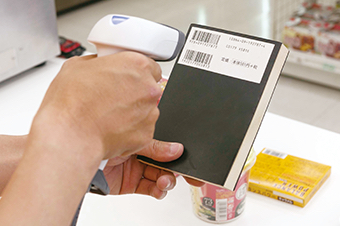
Works with Imperfect Codes.
DENSO’s advanced algorithms enable effective scanning of grainy, bleeding, low-contrast, and blurry barcode images.
Additional User Advantages
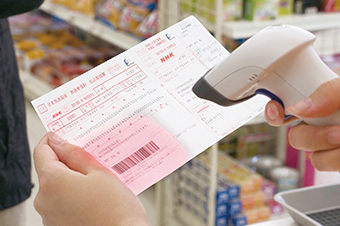
Lightweight, ergonomic comfort.
The easy-to-hold grip is ideal for day-in and day-out users at distribution centers, medical workplaces, electronics factories, and more.
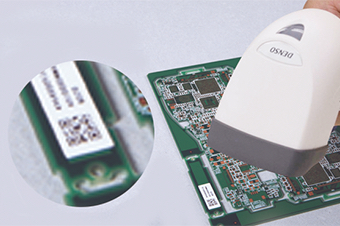
Scanning Guide Light.
Targeting codes is easy, even multi-level or small codes and codes on non-standard surfaces, such as printed boards and reels.
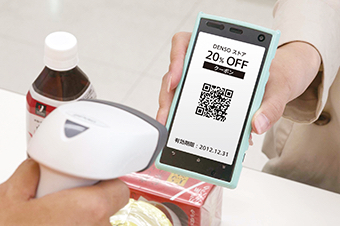
Advanced Functions.
Take advantage of additional features for auto-sensing labels, verifying data, editing data, and remotely controlling the scanner via another device. Select models offer Bluetooth connectivity.
Simple Startup.
Two configuration methods (either batch operation using a PC or create and scan a batch configuration barcode) allow you to smoothly introduce the scanner into your process.
Tough, durable performance.
Scanners absorb shocks from accidental drops; damage-resistant cables connect with simple twist-lock security. Units meet IP42 standard for resistance to dust and moisture.
Dimensions
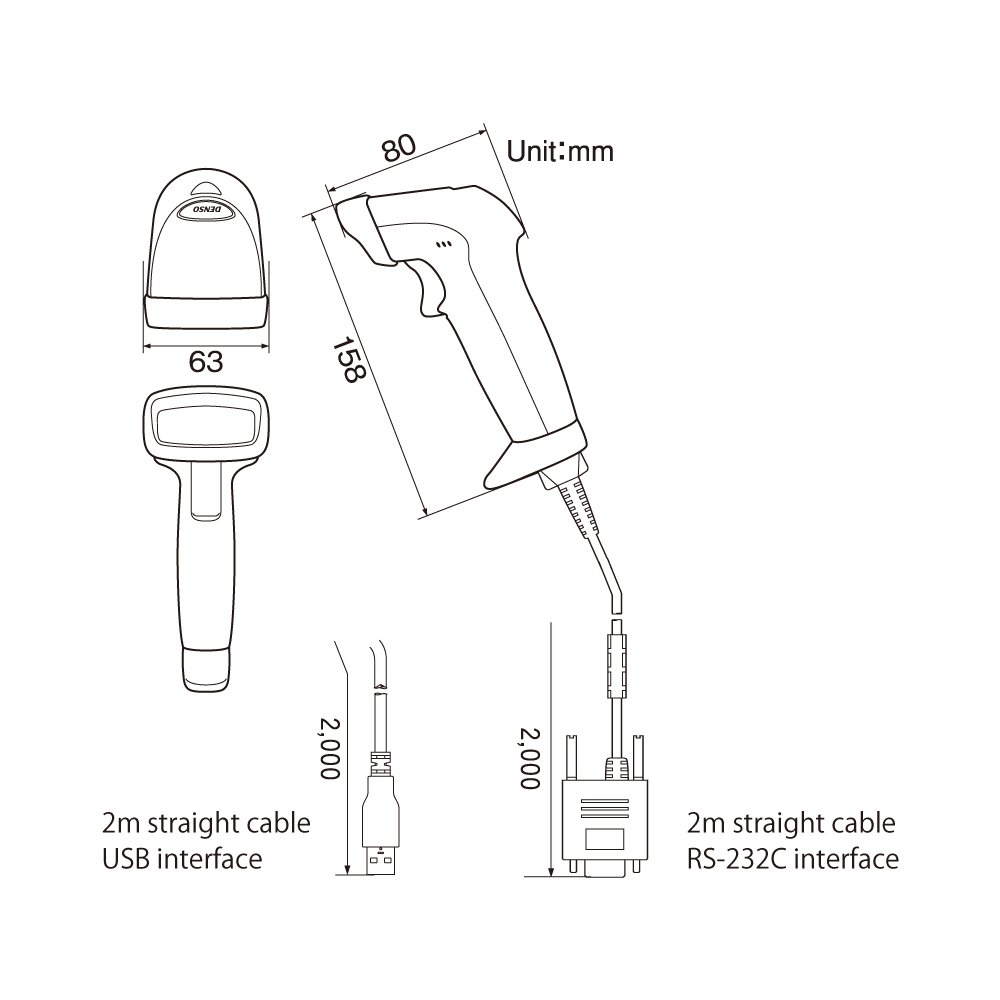
Specifications
AT20B
| Model Number | AT20B-SM(R) White | AT20B-SM(U) White |
| AT21B-SM(R) Black | AT21B-SM(U) Black | |
| RS-232C | USB (COM, HID) (1) | |
Scanner |
||
| Method | Advanced Scan Plus (CCD) | |
| Readable Barcodes | EAN-13/8(JAN-13/8), UPC-A/E, UPC/EAN (With add-on codes), Interleaved 2 of 5 (ITF), CODABAR (NW-7), CODE39, CODE93, CODE128, GS1-128 (EAN-128), RSS (GS1 DataBar) | |
| Minimum Resolution | 0.125mm | |
| Marker | LED | |
| PCS value | Not less than 0.3 | |
| Angle | ±50° | |
| Scanning Confirmation | LED Light (blue, green and red) and Sound (three-step volume and tone control) | |
Communication Interface |
||
| Connector | DB9 | USB A-type |
| Cable | 2m straight cable | |
| Power Supply | Original AC adapter | Supplied from the connection target |
| Supplied from the connection target | ||
Operating Environment |
||
| IP Rating | IP42 (dust-proof, drip-proof) | |
| Temperature Range | -5 to 50°C | |
| Humidity | 10 to 90% RH (non-condensing) | |
| Illumination | 20 to 10000 lx (fluorescent lamp) | |
| Drop Test (2) | 2.0m / 0.2m × 100,000 times | |
Physical Characteristics |
||
| Weight (excluding cable) | Approx. 105g | |
(1) Two methods are supported: a USB keyboard interface and a USB-COM interface. |
||
**All specifications subject to change without notice. |
||
AT20Q
| Model Number | AT20Q-SM(R) White | AT20Q-SM(U) White |
| AT21Q-SM(R) Black | AT21Q-SM(U) Black | |
| RS-232C | USB | |
Scanner |
||
| Method | Area Sensor | |
| Readable 2D Codes | QR Code, Micro QR Code, SQRC, iQR, DataMatrix (ECC200), PDF417, MicroPDF417, Maxi code, Aztec, GS1 DataBar Composite (EAN.UCC Composite) | |
| Readable 1D Barcodes | EAN-13/8 (JAN-13/8), UPC-A/E, UPC/EAN (with add-on), Interleaved 2 of 5 (ITF), Standard 2 of 5 (STF), CODABAR (NW-7), CODE39, CODE93, CODE128, GS1-128 (EAN-128), GS1 DataBar (RSS) | |
| Minimum Resolution 2D Codes | 0.167mm | |
| Minimum Resolution 1D Barcodes | 0.125mm | |
| Marker | LED | |
| Angle | ±50° | |
| Skew Angle | 360° | |
| Image Capture | BMP, JPEG, thumbnail view | |
| Scanning Confirmation | LED light (blue, green and red) and Sound (three-level volume and tone controls) | |
Communication Interface |
||
| Connector | DB9 | USB A-type |
| Cable | 2m straight cable | |
| Power | Exclusive AC adapter | Supplied from the connection target |
| Supplied from the connection target | ||
Operating Environment |
||
| IP Rating | IP42 (dust-proof, drip-proof) | |
| Temperature Range | -5 to 50°C | |
| Humidity | 10 to 90% RH (non-condensing) | |
| Illumination | 0 to 10,000 lx (fluorescent lamp in daytime) | |
| Drop Specifications (2) | 2.0m / 0.2m x 100,000 times | |
Physical Characteristics |
||
| Weight (excluding cable) | Approx. 110g | |
(1) Two methods are supported: a USB keyboard interface and a USB-COM interface **All specifications subject to change without notice. |
||
**All specifications subject to change without notice. |
||
AT27Q
| Model Number | AT27Q-SB White |
| Bluetooth Ver. 2.1 + EDR based class 2 | |
Scanner |
|
| Method | Area Sensor |
| Readable 2D Codes | QR Code, Micro QR Code, SQRC, iQR, DataMatrix (ECC200), PDF417, MicroPDF417, Maxi code, Aztec, GS1 DataBar Composite (EAN.UCC Composite) |
| Readable 1D Barcodes | EAN-13/8 (JAN-13/8), UPC-A/E, UPC/EAN (with add-on), Interleaved 2 of 5 (ITF), Standard 2 of 5 (STF), CODABAR (NW-7), CODE39, CODE93, CODE128, GS1-128 (EAN-128), GS1 DataBar (RSS) |
| Minimum resolution 2D Codes | 0.167mm |
| Minimum resolution 1D Barcodes | 0.125mm |
| Marker | Area Guide |
| Angle | ±50° |
| Skew Angle | 360° |
| Image Capture | BMP, JPEG, thumbnail view |
| Scanning Confirmation | LED Light (blue, green and red) and Sound (three-level volume and tone control) |
Power |
|
| Battery | Exclusive Battery (SB-28) |
Operating Environment |
|
| IP Rating | IP54 (dust-proof, drip proof) |
| Temperature Range | -5 to 50°C |
| Humidity | 10 to 90% RH (non-condensing) |
| Illumination | 0 to 10,000 lx (fluorescent lamp in daytime) |
| Drop Test (1) | 1.8m height over a concrete floor with each of six sides of the enclosure facing down |
Physical Characteristics |
|
| Weight (excl. cable) | Approx. 200g |
(1) Two methods are supported: a USB keyboard interface and a USB-COM interface. The factory default is a USB-COM interface. |
|
**All specifications subject to change without notice. |
|
Optional Accessories – Sold Separately
AT20B Options
Battery and Accessories | Part # |
|
| Lithium-Ion Battery | Rechargeable | SB-10L |
Charging Station |
||
| AC Adapter | Output: DC 5V - 1.5A Input: 100 to 240 V AC ±10%. For Brazil only. | AD2-3005/3000 |
| AC Adapter | Output: DC 5V - 1.5A Input: 100 to 240 V AC ±10%. For USA, Canada and Mexico. | AD2-2005/300003 |
| Bluetooth Adapter | Ver 2.1, USB / RS-232C interface. Cable not included. | BA20-RU |
| Charger/Communication Cradle | AC adapter and BA20-RU Bluetooth adapter not Included | CH-AT10L |
Communication |
||
| Cable | Straight 1.5m USB cable. Type A Male - mini B Male | CB00US15004A4B1 |
| Cable | Straight 2.0m USB cable. Type A Male - mini B Male | CBBA-US2000/4 |
| Cable | Straight 2m RS-232C / Special BA connector with Power Pigtail. Only For Bluetooth dongle adapter BA20-RU built in the charge base. | CBBA-RS2000/9-1 |
| Cable | Straight 2m RS-232C / Special BA connector. Only for DENSO Bluetooth dongle adapter BA20-RU. AC adapter not included | CBBA-RS2000/9 |
Other Accessories |
||
| Hand Strap - Black | HS-DENSOBLK | |
| Holder - White | S-AT20 | |
| Neck Strap | NS-BHT8000 | |
| Presentation Stand - Black | H-AT21-2 | |
| Presentation Stand - White | H-AT20-2 | |
| Stand - White | H-AT20 | |
AT20Q Options
Communication | Part # |
|
| Cable | Straight 2m Female RS-232C cable. Power from AC adapter (not included). | CBA2-RS2000/9 |
| Cable | Straight 2m Female RS-232C cable. Power from host device. | CBA2-RS2000/9-2 |
| Cable | Straight 2m Male RS-232C cable. Power from host device. | CBA2-RS2000/9-1 |
| Cable | Straight 2m USB cable | CBA2-US2000/4-1 |
Power and Charging |
||
| AC Adapter | Output: DC 5V - 1.5A Input: 100 to 240 V AC ±10%. For Brazil only. | AD2-3005/3000 |
| AC Adapter | Output: DC 5V - 1.5A Input: 100 to 240 V AC ±10%. For Brazil only. | AD2-3005/3000 |
| AC Adapter | Output: DC 5V - 1.5A Input: 100 to 240 V AC ±10%. For USA, Canada and Mexico. | AD2-2005/300003 |
| AC Adapter | Output: DC 5V - 1.5A Input: 100 to 240 V AC ±10%. For USA, Canada and Mexico. | AD2-2005/300003 |
Other Accessories |
||
| Hand Strap - Black | HS-DENSOBLK | |
| Holder - White | S-AT20 | |
| Neck Strap | NS-BHT8000 | |
| Presentation Stand - Black | H-AT21-2 | |
| Presentation Stand - White | H-AT20-2 | |
AT27Q Options
Batteries and Accessories |
||
| Lithium-Ion Battery | Rechargeable | SB-10L |
Communication |
||
| Cable | Straight 2m Female RS-232C cable. Power from host device. | CBA2-RS2000/9-2 |
| Cable | Straight 2m Male RS-232C cable. Power from host device. | CBA2-RS2000/9-1 |
| Cable | Straight 2m USB cable | CBA2-US2000/4-1 |
Power and Charging |
||
| Charger/Communication Cradle | AC adapter and BA20-RU Bluetooth adapter not Included | CH-AT10L |
| AC Adapter | Output: DC 5V - 1.5A Input: 100 to 240 V AC ±10%. For Brazil only. | AD2-3005/3000 |
| AC Adapter | Output: DC 5V - 1.5A Input: 100 to 240 V AC ±10%. For Brazil only. | AD2-3005/3000 |
| AC Adapter | Output: DC 5V - 1.5A Input: 100 to 240 V AC ±10%. For USA, Canada and Mexico. | AD2-2005/300003 |
| AC Adapter | Output: DC 5V - 1.5A Input: 100 to 240 V AC ±10%. For USA, Canada and Mexico. | AD2-2005/300003 |
Other Accessories |
||
| Hand Strap - Black | HS-DENSOBLK | |
| Handsfree Stand | H-AT10 | |
| Holder - White | S-AT10 | |
| Neck Strap | NS-BHT8000 | |
| Presentation Stand - Black | H-AT21-2 | |
| Presentation Stand - White | H-AT20-2 | |
Related Software
Software | Description | Part # |
| Active USB-COM Port Driver | USB-COM port driver | Free download |
| BA Setting | Setting software for BA11-RKU & BA20-RU | Free download |
| QR-kbif | Keyboard interface software converts scanner input into keyboard data | Free download |
| Scanner Setting | Setting software for 1D scanner series | Free download |
| Scanner Setting 2D | Setting software for 2D scanner series | Free download |
All software can be downloaded from DENSO Wave’s QBdirect. Free software and drivers can be used immediately. Other software packages are available as trials. Please contact DENSO ADC to purchase a full license.
Downloads
Two-page product sheet with features and specifications for the AT27Q healthcare scanner Two-page product sheet with features and specifications for the AT20 series of handheld scanners. 12-page brochure featuring DENSO scanners, terminals and software Folleto de 12 páginas presentando los productos DENSO ADC: escáneres, terminales, herramientas y aplicaciones
AT27Q Scanner for Healthcare Product Sheet
AT20 Product Sheet
ADC Product Catalog
Portafolio de Productos Espanol